
Admission Guide
Internet application
つ い て
What is Internet application?
At our school, you can apply online from your computer, tablet or smartphone.
-
- 24 hoursanytime
from all over the countryApplication available - You can apply anytime, anywhere, 24 hours a day. It also supports web interviews, so it is safe for people who live far away.
- 24 hoursanytime
-
- Entry/Application
until acceptancepossible on the internet - It is OK to attach photos and data!You don't have to go to the photo shoot!*Some documents such as surveys must be sent by mail.
- Entry/Application
-
- Selection feeon the net
Easy payment - Payment can be made 24 hours a day by credit card, convenience stores nationwide, and bank ATMs.
- Selection feeon the net
Internet application is possible
Entrance examination
- General entrance exam
- School recommended entrance exam
- Self-recommended entrance examination
- AO entrance examination
- International student entrance examination
Internet application flow
1
Advance preparation
- Confirmation of Internet environment
-
Please prepare a computer, smartphone, or tablet that is connected to the Internet.
- Prepare photo data
-
Please prepare a photograph (upper body, front view, no hat) taken within the last 6 months. (Shooting data with a smartphone is also possible)
*It will also be used for your student ID card after admission.
- Preparation of required documents
-
Please prepare a photograph (upper body, front view, no hat) taken within the last 6 months. (Shooting data with a smartphone is also possible)
* Required documents differ depending on the type of entrance examination.For more information,"How to apply"Alternatively, please refer to the text of the email you receive after submitting your application.
3
Create my page
-
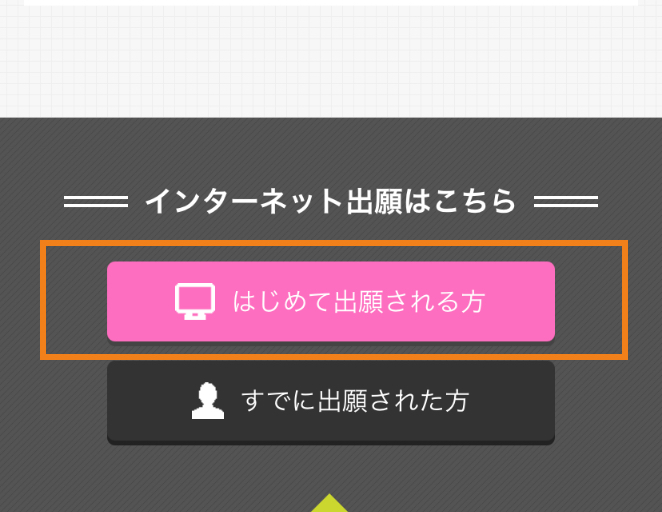
Please proceed from the button of "Applicants for the first time".
-
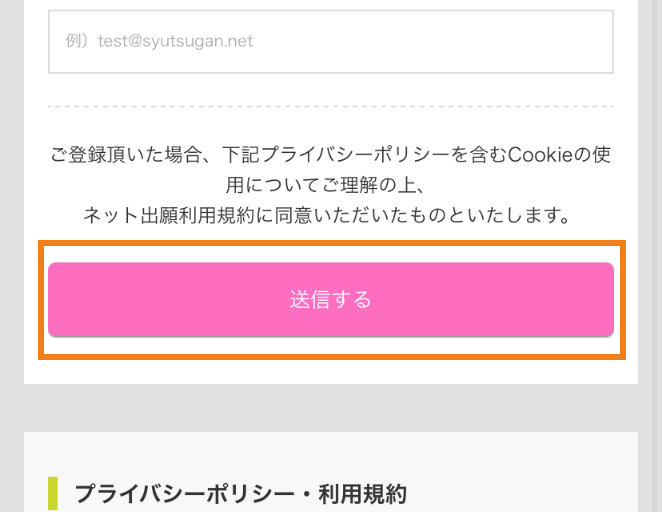
Please enter your email address and press "Send".
-
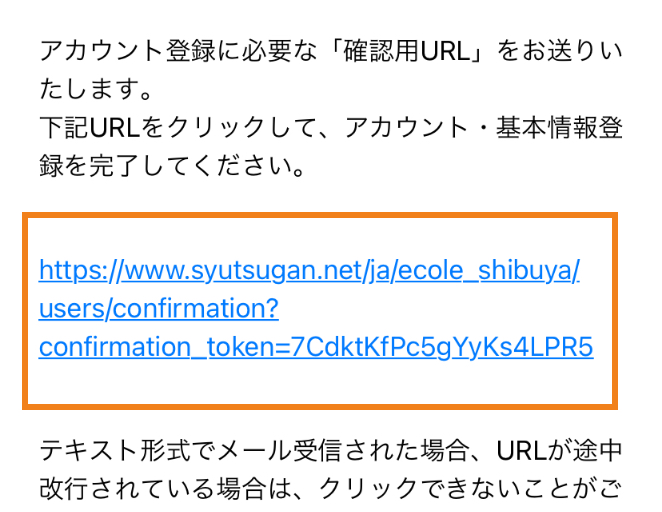
Please access the confirmation URL in the "Online application account registration confirmation" email that will be sent to the email address you entered, and complete the registration of your personal information and photo data.
4
internet entry
Entry is required before application.Please make an entry from the created My Page.
-
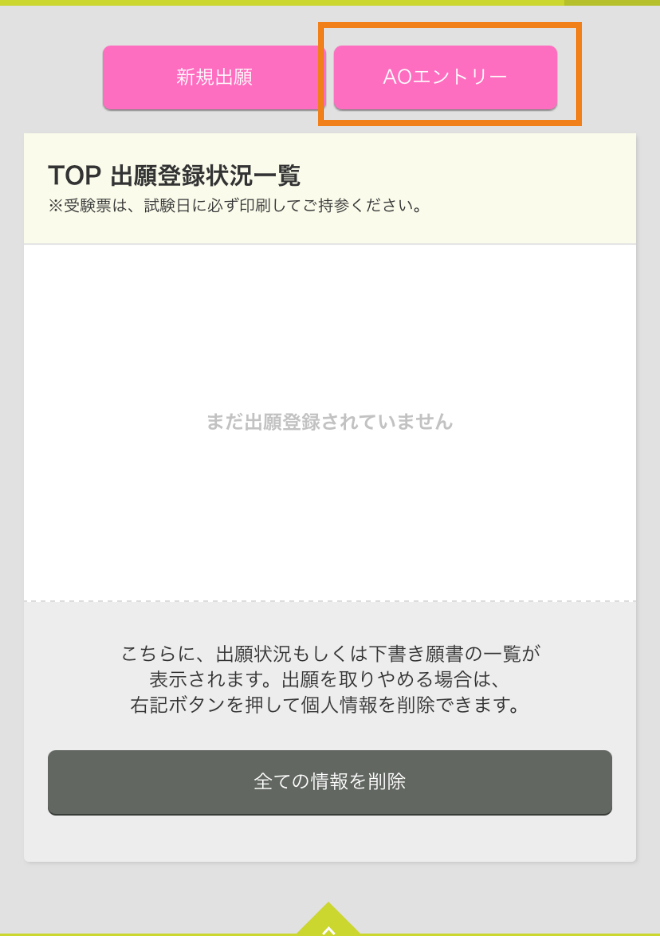
After logging in, select "AO Entry" at the top of My Page. (Please proceed from here even if you are not taking the AO entrance examination)
-
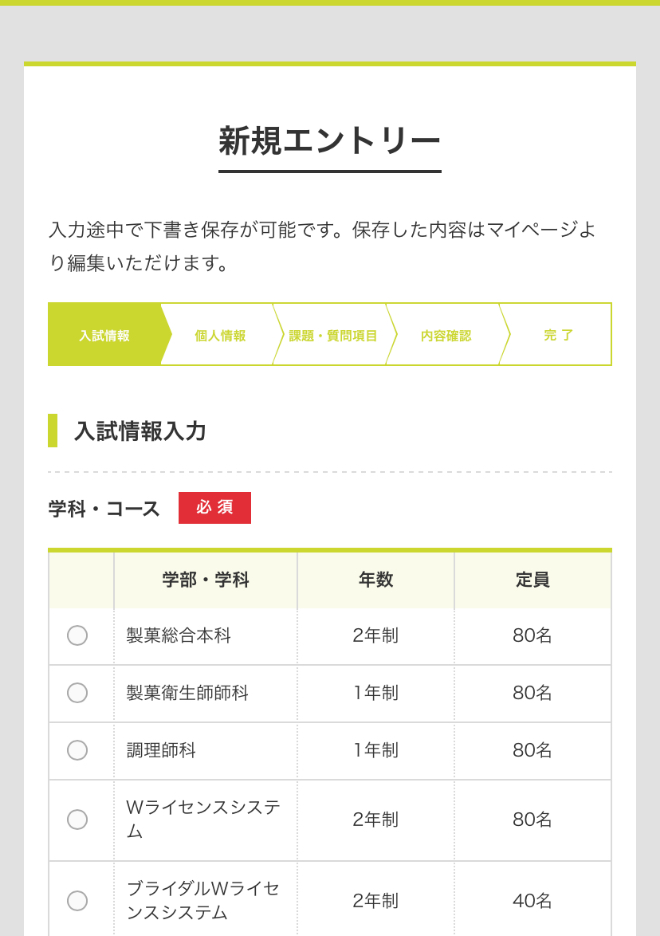
Select the department you wish to enter, the type of entrance examination, etc.
-
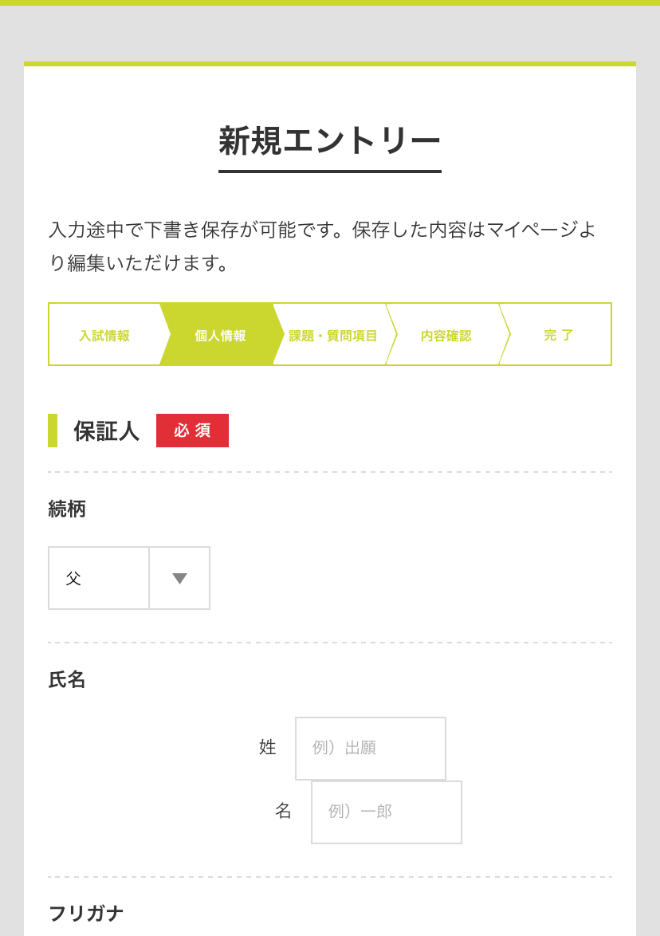
Enter your guarantor information.
-
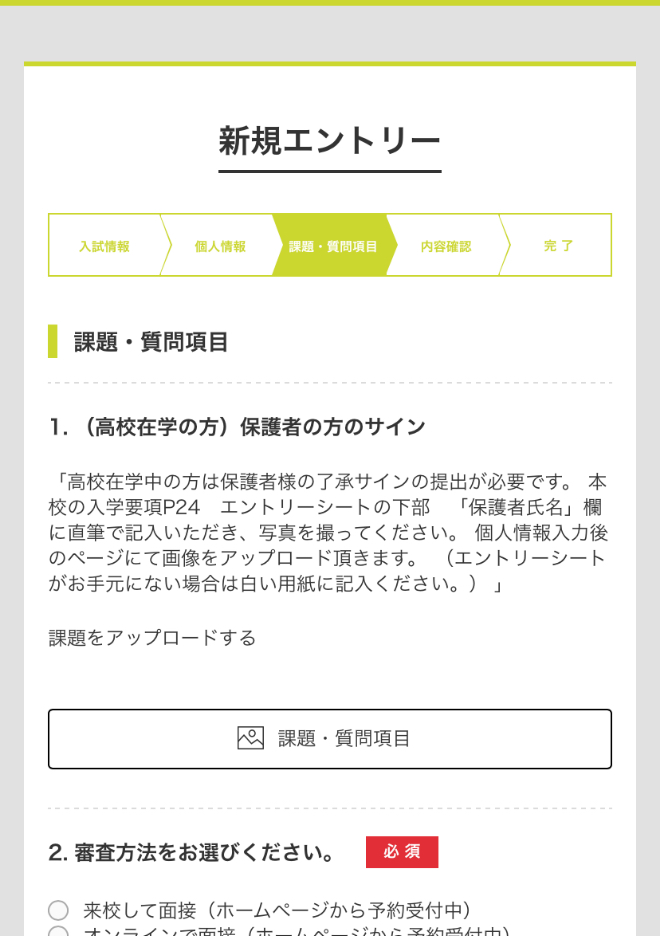
Attach a parental signature and enter the screening method.Those who wish to write can enter.
-
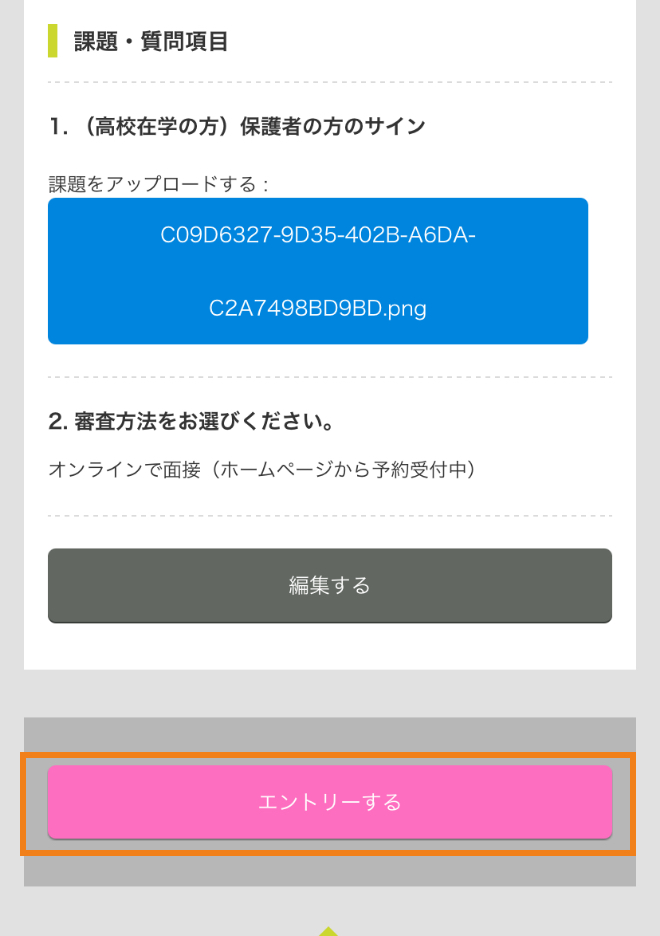
Check the entered information, and if there is no problem, press "Enter" to complete.
5
be examined
We will conduct the examination by the examination method of your choice. (In the case of an online interview, we will contact you separately.)
6
Online application
You will be able to apply when you receive the notification of the completion of the examination.You will not be able to enter the school with just an entry, so please be sure to apply.
-
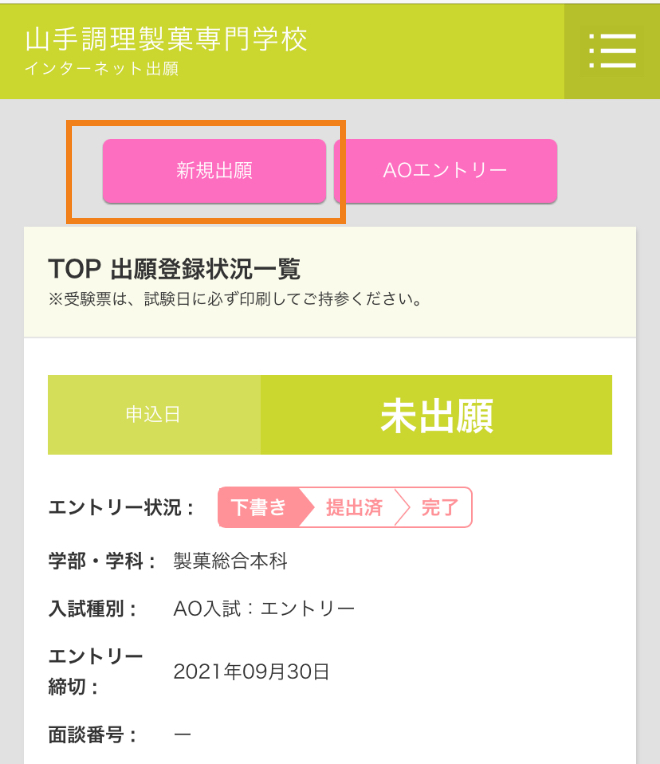
After logging in, press the "New Application" button on the page to proceed.
-
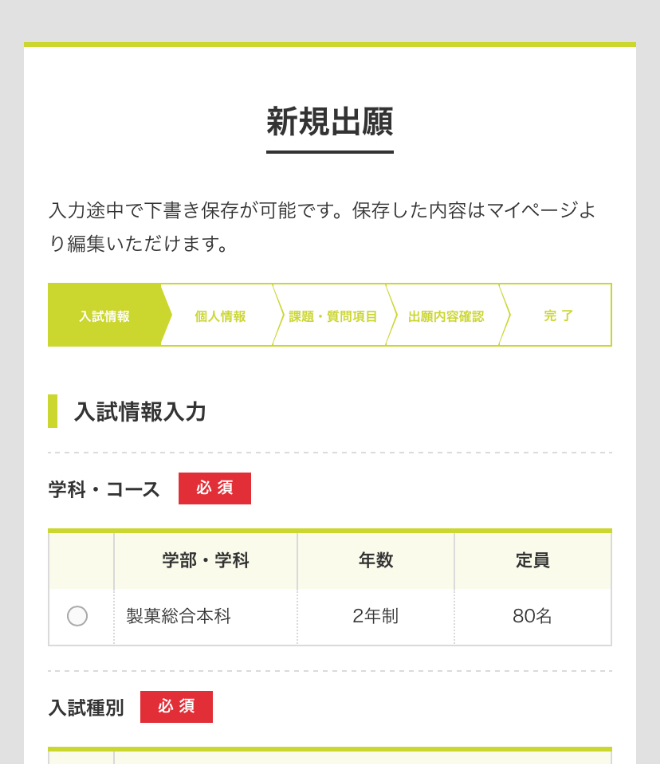
College/Department SelectionSelect the department to which you wish to apply (in the case of AO entrance examinations, the department for which you have obtained permission to apply for AO entrance examinations).
-
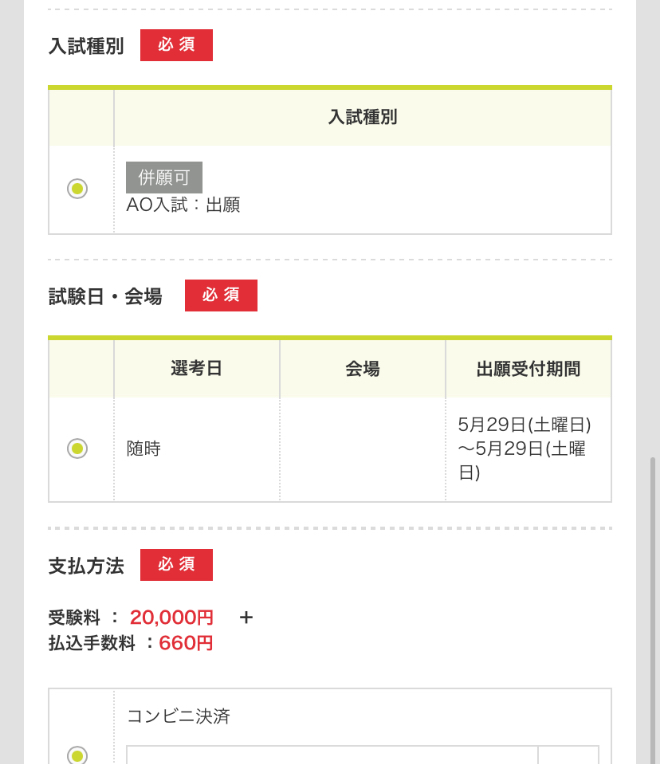
Selection of entrance examination typeSelect the type of entrance examination to use, such as AO entrance examination or general entrance examination.
-
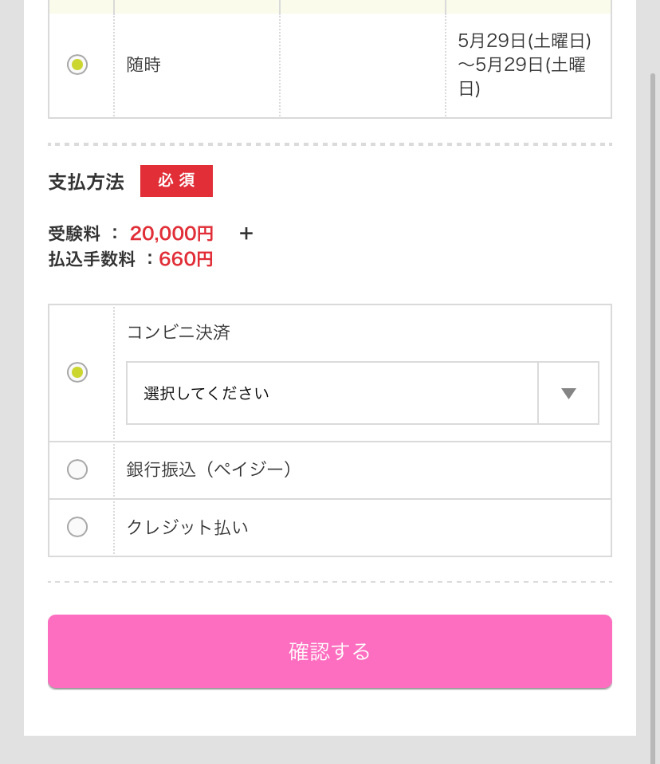
Select payment method for screening feeChoose from credit cards, convenience stores, and financial institution ATMs (Page-easy).
-
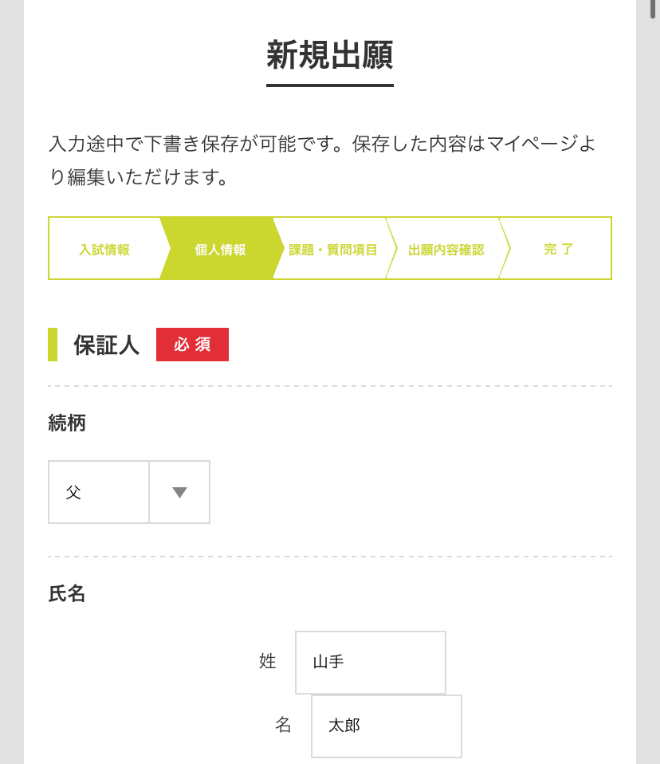
Enter personal information detailsEnter the necessary information such as guardian information.
7
pay the screening fee
You can check the content by selecting the relevant test from the "List of registered test dates" on the top page and clicking the "Payment procedure" button.Within 1 week after applicationPlease go to
8
Mailing of required documents
After completing the registration, pay the examination fee and mail the required documents to complete the application.
Please check the application registration completion screen or the application completion email, put it in the envelope, and send it to the school by simple registered mail or express mail from the post office window within the application period.(Must arrive within the application period)
Online applications are available 24 hours a day.However, payment of the examination fee and mailing of the required documentsWithin 1 week from application (by the application deadline if the application date is within 1 week from the application deadline)please finishPlease apply as early as possible.
| Destination | 150-0044 Maruyama-cho, Shibuya-ku, Tokyo 28-5 Yamate Cooking and Confectionery College Admission Application Receptionist |
|---|


